<?xml version="1.0" encoding="utf-8"?><feed xmlns="http://www.w3.org/2005/Atom" ><generator uri="https://jekyllrb.com/" version="3.10.0">Jekyll</generator><link href="http://www.waldirio.com.br/feed.xml" rel="self" type="application/atom+xml" /><link href="http://www.waldirio.com.br/" rel="alternate" type="text/html" /><updated>2025-12-31T22:40:22+00:00</updated><id>http://www.waldirio.com.br/feed.xml</id><title type="html">Waldirio’s Blog</title><subtitle>An amazing website.</subtitle><author><name>Waldirio M Pinheiro</name><email>waldirio@gmail.com</email></author><entry><title type="html">Pao Frances</title><link href="http://www.waldirio.com.br/Pao-Frances/" rel="alternate" type="text/html" title="Pao Frances" /><published>2018-11-14T00:00:00+00:00</published><updated>2018-11-14T00:00:00+00:00</updated><id>http://www.waldirio.com.br/Pao-Frances</id><content type="html" xml:base="http://www.waldirio.com.br/Pao-Frances/"><![CDATA[<p>Bom dia amigos</p>

<p>Como muitos sabem, quando saimos de nosso Pais, perdemos o acesso a muitas coisas que temos no Brasil com facilidade, como é o caso do Pão Francês …  “em toda padaria tem …… :)”.</p>

<p>Aqui no Canada não encontrei o nosso Pão Francês e após algumas tentativas, com muitos erros, saiu a versão final 100% fiel ao Pão Francês Brasileiro.</p>

<p>Espero que gostem, abaixo temos o link para um passo a passo bem visual, onde estou compartilhando os <strong>macetes</strong> para que seu pão fique 100% Brasileiro.</p>

<p>Download: <a href="http://www.waldirio.com.br/assets/files/Brazilian_Bread.pdf">Guia do Pão Francês</a></p>

<p>Caso tenham alguma dificuldade e/ou dúvida, fiquem a vontade para entrar em contato.</p>

<p>Abraços e um ótimo <strong>Café com Pão Francês e Manteiga p vocês !!!</strong></p>]]></content><author><name>Waldirio M Pinheiro</name><email>waldirio@gmail.com</email></author><summary type="html"><![CDATA[Bom dia amigos]]></summary></entry><entry><title type="html">Trabalhos Formais</title><link href="http://www.waldirio.com.br/Trabalhos-Formais/" rel="alternate" type="text/html" title="Trabalhos Formais" /><published>2018-06-21T00:00:00+00:00</published><updated>2018-06-21T00:00:00+00:00</updated><id>http://www.waldirio.com.br/Trabalhos-Formais</id><content type="html" xml:base="http://www.waldirio.com.br/Trabalhos-Formais/"><![CDATA[<p>Bom dia amigos</p>

<p>Gostaria de compartilhar com vocês alguns trabalhos que escrevi ao longo de minha vida acadêmica <strong>Trabalhos Formais</strong>.</p>

<p>Basicamente uma graduação e duas pós, conforme descritos abaixo. <em>Espero ampliar essa listagem de publicações em breve …..</em></p>

<p>Boa Leitura</p>

<h1 id="conclusão-do-curso-de-ciência-da-computação">Conclusão do curso de Ciência da Computação</h1>
<p>DESENVOLVIMENTO DE UM SISTEMA DISTRIBUÍDO PARA DETECÇÃO DE INTRUSÃO BASEADO EM SOFTWARE LIVRE : NIDS HYDRA</p>
<div class="language-plaintext highlighter-rouge"><div class="highlight"><pre class="highlight"><code>Com o advento da Internet, as redes de computadores tornaram-se uma grande malha
que agrega milhares de máquinas e empresas interconectadas, realizando desde simples troca
de e-mail a transações econômicas, o que é um chamariz considerável a intrusos. Pensando
assim, foi realizado uma pesquisa onde é apresentado diversas vulnerabilidades, atacantes e
formas de ataque utilizadas contra a Segurança da Informação.

Foi projetado, implementado e testado uma ferramenta NIDS (Network Intrusion
Detection System) denominado HYDRA. Este sistema detecta tentativas de ataques remotos a
partir de certos padrões baseados em regras de assinaturas. Foram utilizados Software livres
como MySQL, PHP, Web Server Apache. Como scanners de vulnerabilidade o Nessus e o
Nmap e como base de desenvolvimento a linguagem de programação C, incluindo bibliotecas
de MySQL, PCAP, dentre outras.
</code></pre></div></div>
<p>Download: <a href="http://www.waldirio.com.br/assets/files/cs_graduation_waldirio.pdf">http://www.waldirio.com.br/assets/files/cs_graduation_waldirio.pdf</a></p>

<h1 id="pós-graduação">Pós Graduação</h1>
<p>O USO DE SOFTWARE LIVRE NAS EMPRESAS DE OIL&amp;GAS, COM FOCO EM GEOLOGIA E GEOFÍSICA</p>
<div class="language-plaintext highlighter-rouge"><div class="highlight"><pre class="highlight"><code>O objetivo desta obra é analisar a necessidade, disponibilidade e aceitação do uso
de software livre em ambientes corporativos com o foco em auxiliar no processo de
Geologia e Geofísica. Muitas empresas tem dispendido tempo em treinamento, uso
e melhoria destas tecnologias em contra partida ao valor exacerbado das licenças
de softwares proprietários que muitas vezes visam o mesmo resultado final. Uma
vez que há a necessidade, a proposta da pesquisa é apresentar os principais e mais
utilizados softwares “livres e abertos” disponíveis que realizarão tarefas similares aos
softwares proprietários, apresentando também como esse processo de melhoria
contínua do software livre e/ou aberto ocorre sem uma visão e/ou interesse
diretamente comercial. Com o passar dos anos, os software proprietários estão cada
vez mais completos e consequentemente mais caros, isso é esperado uma vez que
o resultado gerado por esses programas tendem a gerar lucros exorbitantes para as
empresas, logo, o valor pago geralmente é compensado em longo prazo, todavia o
uso do software livre ou aberto gerando um resultado similar irá automaticamente
maximizar os lucros do usuário final. Participaram desta pesquisa no ano de 2015
doze profissionais de diferentes áreas, dentre elas: Analistas, Geólogos, Geofísicos
e Engenheiros de Petróleo onde o resultado nos apresenta que os profissionais
dessas áreas em sua totalidade já utilizaram e/ou utilizam o software livre, não
havendo restrições para uso do mesmo e sim, profissionais de grandes empresas de
petróleo como Petrobras, Halliburton e Repsol Sinopec Brasil.
</code></pre></div></div>
<p>Download: <a href="http://www.waldirio.com.br/assets/files/post_graduation_oil_gas.pdf">http://www.waldirio.com.br/assets/files/post_graduation_oil_gas.pdf</a></p>

<h1 id="pós-graduação-1">Pós Graduação</h1>
<p>Animação 3D de A a Z</p>
<div class="language-plaintext highlighter-rouge"><div class="highlight"><pre class="highlight"><code>Animação 3D, esse nome é surpreendente e tocante, mas o assunto é muito
amplo e com diversas variáveis, neste trabalho será apresentado todos os assuntos
que contribuem, não somente para o 3D mas sim por todo o processo, desde a ideia
inicial até o projeto finalizado da arte.
Será apresentando todos os passos em blocos, onde é possível ter uma visibilidade
macro do processo, ficando assim muito mais fácil e didático o entendimento.

-- Primeiro bloco, ou bloco de “Pré-Produção”
-- Segundo bloco, ou bloco de “Concept Arts e Modelagem Digital”
-- Terceiro bloco, ou bloco de “Produção 3D / Animação de Personagens”
-- Quarto bloco, ou bloco de “Pós-Produção”
</code></pre></div></div>
<p>Download: <a href="http://www.waldirio.com.br/assets/files/post_graduation_animation.pdf">http://www.waldirio.com.br/assets/files/post_graduation_animation.pdf</a></p>

<p>Abraços</p>

<p>Waldirio</p>]]></content><author><name>Waldirio M Pinheiro</name><email>waldirio@gmail.com</email></author><summary type="html"><![CDATA[Bom dia amigos]]></summary></entry><entry><title type="html">Python Development Workflow</title><link href="http://www.waldirio.com.br/Python-Development-Workflow/" rel="alternate" type="text/html" title="Python Development Workflow" /><published>2018-06-15T00:00:00+00:00</published><updated>2018-06-15T00:00:00+00:00</updated><id>http://www.waldirio.com.br/Python-Development-Workflow</id><content type="html" xml:base="http://www.waldirio.com.br/Python-Development-Workflow/"><![CDATA[<p>Hello friends,</p>

<p>Today I would like to share one awesome guide with you, this is related to Python Development Workflow.</p>

<p>Below the Table of Content</p>

<ul>
  <li>Thanks</li>
  <li>License</li>
  <li>Goal</li>
  <li>Project</li>
  <li>IDE</li>
  <li>Create and Load the virtual environment</li>
  <li>Create the Project Directory</li>
  <li>The Code - First Version <em>not OO</em></li>
  <li>The Code - Second Version <em>OO</em></li>
  <li>Quality Assurance Application / Install pylint and flake8</li>
  <li>Execute pylint on the code
    <ul>
      <li>after fix the code</li>
    </ul>
  </li>
  <li>Execute flake8 on the code
    <ul>
      <li>after fix the code</li>
    </ul>
  </li>
  <li>Code after all advices / changes</li>
  <li>Configure the dir to be able to import <em>module</em></li>
  <li>Github</li>
  <li>Create the Python Package</li>
  <li>Installing the calc_demo Package</li>
  <li>Function Based Test <em>Using pytest</em></li>
  <li>Class Based Test <em>Using Unit Test</em></li>
  <li>Test the code with pytest</li>
  <li>TRICKs</li>
  <li>Quality Assurance Application / Framework TOX</li>
  <li>Initial TOX Configuration</li>
  <li>Continuous Integration - Travis</li>
  <li>Coveralls</li>
  <li>Branch’s and Fork’s</li>
  <li>Python Scaffolding</li>
  <li>Conclusion</li>
  <li>Links</li>
</ul>

<p>I hope you enjoy the material.</p>

<p>Please, feel free to send your feedback, I’ll be so glad to improve this guide.</p>

<p><a href="http://www.waldirio.com.br/assets/files/Python_Development_Workflow_v1.pdf">http://www.waldirio.com.br/assets/files/Python_Development_Workflow_v1.pdf</a></p>

<p>Thank you</p>

<p>Waldirio</p>]]></content><author><name>Waldirio M Pinheiro</name><email>waldirio@gmail.com</email></author><summary type="html"><![CDATA[Hello friends,]]></summary></entry><entry><title type="html">Spacewalk 2.7 Installation Steps</title><link href="http://www.waldirio.com.br/Spacewalk-2.7-Installation-Steps/" rel="alternate" type="text/html" title="Spacewalk 2.7 Installation Steps" /><published>2018-06-12T00:00:00+00:00</published><updated>2018-06-12T00:00:00+00:00</updated><id>http://www.waldirio.com.br/Spacewalk-2.7-Installation-Steps</id><content type="html" xml:base="http://www.waldirio.com.br/Spacewalk-2.7-Installation-Steps/"><![CDATA[<p>Hello folks, good morning</p>

<p>Today I’ll post the new steps to implement your own Spacewalk on the scenario below</p>

<ul>
  <li>CentOS 7.5</li>
  <li>Spacewalk 2.7</li>
</ul>

<p>So let’s do it.</p>

<p>Stopping firewall services</p>
<div class="language-plaintext highlighter-rouge"><div class="highlight"><pre class="highlight"><code>systemctl stop firewalld
systemctl disable firewalld
</code></pre></div></div>

<p>Changing the SELINUX to permissive mode</p>
<div class="language-plaintext highlighter-rouge"><div class="highlight"><pre class="highlight"><code>sed -i 's/SELINUX=enforcing/SELINUX=permissive/g' /etc/selinux/config
setenforce 0
</code></pre></div></div>

<p>Adding the entry on the /etc/hosts file “if you have already DNS configured, just skip this step”</p>

<div class="language-plaintext highlighter-rouge"><div class="highlight"><pre class="highlight"><code>[root@spacewalk ~]# cat /etc/hosts
127.0.0.1   localhost localhost.localdomain localhost4 localhost4.localdomain4
::1         localhost localhost.localdomain localhost6 localhost6.localdomain6

192.168.100.230	spacewalk.local.domain	spacewalk
[root@spacewalk ~]#
</code></pre></div></div>

<p>Installing some packages that will help you during the configuration / management</p>
<div class="language-plaintext highlighter-rouge"><div class="highlight"><pre class="highlight"><code>yum install vim -y
yum install man -y
yum install wget -y
yum install createrepo -y
yum install openssh-clients -y
</code></pre></div></div>

<p>Installing the Spacewalk 2.7 repo package</p>
<div class="language-plaintext highlighter-rouge"><div class="highlight"><pre class="highlight"><code>rpm -Uvh http://copr-be.cloud.fedoraproject.org/archive/spacewalk/2.7/RHEL/7/x86_64/spacewalk-repo-2.7-2.el7.noarch.rpm
</code></pre></div></div>

<p>Installing the EPEL repo package</p>
<div class="language-plaintext highlighter-rouge"><div class="highlight"><pre class="highlight"><code>rpm -Uvh http://dl.fedoraproject.org/pub/epel/7Server/x86_64/Packages/e/epel-release-7-11.noarch.rpm
</code></pre></div></div>

<p>Configuring the repo related to Java packages</p>
<div class="language-plaintext highlighter-rouge"><div class="highlight"><pre class="highlight"><code>cat &gt; /etc/yum.repos.d/group_spacewalkproject-java-packages-epel-7.repo &lt;&lt; EOF
[group_spacewalkproject-java-packages]
name=Copr repo for java-packages owned by @spacewalkproject
baseurl=https://copr-be.cloud.fedoraproject.org/results/@spacewalkproject/java-packages/epel-7-\$basearch/
type=rpm-md
skip_if_unavailable=True
gpgcheck=1
gpgkey=https://copr-be.cloud.fedoraproject.org/results/@spacewalkproject/java-packages/pubkey.gpg
repo_gpgcheck=0
enabled=1
enabled_metadata=1
EOF
</code></pre></div></div>

<p>Checking the actual scenario / repositories available on the CentOS Server</p>
<div class="language-plaintext highlighter-rouge"><div class="highlight"><pre class="highlight"><code>[root@spacewalk yum.repos.d]# yum repolist
Loaded plugins: fastestmirror
Loading mirror speeds from cached hostfile
 * base: mirror.esecuredata.com
 * epel: mirrors.cat.pdx.edu
 * extras: muug.ca
 * updates: mirror.csclub.uwaterloo.ca
repo id                                                                        repo name                                                                                 status
base/7/x86_64                                                                  CentOS-7 - Base                                                                            9,911
epel/x86_64                                                                    Extra Packages for Enterprise Linux 7 - x86_64                                            12,581
extras/7/x86_64                                                                CentOS-7 - Extras                                                                            305
group_spacewalkproject-java-packages/x86_64                                    Copr repo for java-packages owned by @spacewalkproject                                       211
spacewalk/x86_64                                                               Spacewalk                                                                                    117
updates/7/x86_64                                                               CentOS-7 - Updates                                                                           654
repolist: 23,779
[root@spacewalk yum.repos.d]#  
</code></pre></div></div>

<p>Installing the package related to the Postgres DB / Spacewalk</p>
<div class="language-plaintext highlighter-rouge"><div class="highlight"><pre class="highlight"><code>yum install spacewalk-setup-postgresql -y
</code></pre></div></div>

<p>Installing the package Spacewalk package</p>
<div class="language-plaintext highlighter-rouge"><div class="highlight"><pre class="highlight"><code>yum install spacewalk-postgresql -y
</code></pre></div></div>

<p>Using one template “answer file”</p>
<div class="language-plaintext highlighter-rouge"><div class="highlight"><pre class="highlight"><code>cp /usr/share/doc/spacewalk-setup-2.7.12/answers.txt ~
</code></pre></div></div>

<p>Edit the file after copy</p>
<div class="language-plaintext highlighter-rouge"><div class="highlight"><pre class="highlight"><code>vim ~/answers.txt
</code></pre></div></div>

<p>Below one example of my conf file, simple information and the info related to the Oracle db commented</p>
<div class="language-plaintext highlighter-rouge"><div class="highlight"><pre class="highlight"><code>[root@spacewalk ~]# cat ~/answers.txt 
admin-email = root@localhost
ssl-set-org = ACME Company
ssl-set-org-unit = IT
ssl-set-city = Burnaby
ssl-set-state = BC
ssl-set-country = CA
ssl-password = redhat
ssl-set-email = waldirio@gmail.com
ssl-config-sslvhost = Y
#db-backend=oracle
#db-user=foo
#db-password=bar
#db-name=service_name.world
#db-host=hostname.of.your.db
#db-port=1521
enable-tftp=Y
[root@spacewalk ~]# 
</code></pre></div></div>

<p><strong>Step below is necessary because of a BZ <a href="https://bugzilla.redhat.com/show_bug.cgi?id=1524221">[1]</a>, on the SW 2.8 will not be necessary anymore</strong></p>
<div class="language-plaintext highlighter-rouge"><div class="highlight"><pre class="highlight"><code>postgresql-setup initdb
</code></pre></div></div>

<p>Start the installation in mode non interactive, just passing the response file</p>
<div class="language-plaintext highlighter-rouge"><div class="highlight"><pre class="highlight"><code>spacewalk-setup --answer-file=/root/answers.txt
</code></pre></div></div>

<p>Installation proceed until the end</p>
<div class="language-plaintext highlighter-rouge"><div class="highlight"><pre class="highlight"><code>[root@spacewalk ~]# spacewalk-setup --answer-file=/root/answers.txt
* Loading answer file: /root/answers.txt.
* Setting up SELinux..
** Database: Setting up database connection for PostgreSQL backend.
Database "rhnschema" does not exist
** Database: Installing the database:
** Database: This is a long process that is logged in:
** Database:   /var/log/rhn/install_db.log
*** Progress: ##
** Database: Installation complete.
** Database: Populating database.
*** Progress: ##########################
* Configuring tomcat.
* Setting up users and groups.
** GPG: Initializing GPG and importing key.
** GPG: Creating /root/.gnupg directory
* Performing initial configuration.
* Configuring apache SSL virtual host.
** /etc/httpd/conf.d/ssl.conf has been backed up to ssl.conf-swsave
* Configuring jabberd.
* Creating SSL certificates.
Cname alias of the machine (comma seperated)? 
** SSL: Generating CA certificate.
** SSL: Deploying CA certificate.
** SSL: Generating server certificate.
** SSL: Storing SSL certificates.
* Deploying configuration files.
* Update configuration in database.
* Setting up Cobbler..
* Restarting services.
Installation complete.  
Visit https://spacewalk.local.domain to create the Spacewalk administrator account.
[root@spacewalk ~]#
</code></pre></div></div>

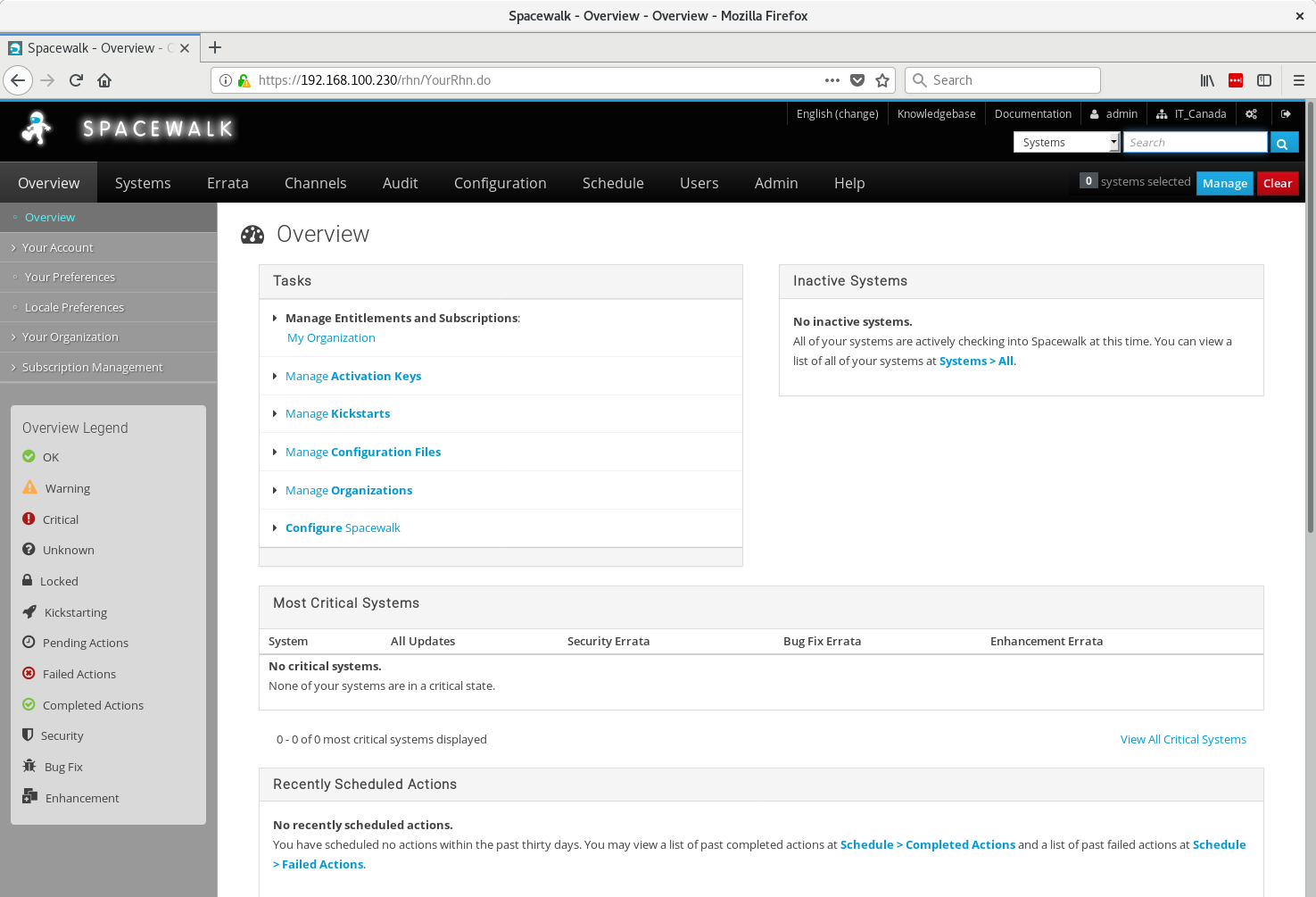
<p>At this point, just access the url <em>https://spacewalk.local.domain</em> to create the admin account and use.</p>

<figure class="">
  <img src="/assets/images/sw_main.png" alt="" />
  </figure>

<p>Below the output of <em>spacewalk-service status</em> just to check the Spacewalk health</p>
<div class="language-plaintext highlighter-rouge"><div class="highlight"><pre class="highlight"><code>[root@spacewalk ~]# spacewalk-service status
Redirecting to /bin/systemctl status postgresql.service
● postgresql.service - PostgreSQL database server
   Loaded: loaded (/usr/lib/systemd/system/postgresql.service; enabled; vendor preset: disabled)
   Active: active (running) since Tue 2018-06-12 10:05:50 EDT; 49s ago
  Process: 3612 ExecStop=/usr/bin/pg_ctl stop -D ${PGDATA} -s -m fast (code=exited, status=0/SUCCESS)
  Process: 3633 ExecStart=/usr/bin/pg_ctl start -D ${PGDATA} -s -o -p ${PGPORT} -w -t 300 (code=exited, status=0/SUCCESS)
  Process: 3628 ExecStartPre=/usr/bin/postgresql-check-db-dir ${PGDATA} (code=exited, status=0/SUCCESS)
 Main PID: 3636 (postgres)
   CGroup: /system.slice/postgresql.service
           ├─3636 /usr/bin/postgres -D /var/lib/pgsql/data -p 5432
           ├─3637 postgres: logger process   
           ├─3639 postgres: checkpointer process   
           ├─3640 postgres: writer process   
           ├─3641 postgres: wal writer process   
           ├─3642 postgres: autovacuum launcher process   
           ├─3643 postgres: stats collector process   
           ├─3737 postgres: rhnuser rhnschema 127.0.0.1(56886) idle
           ├─3738 postgres: rhnuser rhnschema 127.0.0.1(56888) idle
           ├─3739 postgres: rhnuser rhnschema 127.0.0.1(56890) idle
           ├─3740 postgres: rhnuser rhnschema 127.0.0.1(56892) idle
           ├─3741 postgres: rhnuser rhnschema 127.0.0.1(56894) idle
           ├─3864 postgres: rhnuser rhnschema [local] idle
           ├─4038 postgres: rhnuser rhnschema 127.0.0.1(56904) idle
           ├─4039 postgres: rhnuser rhnschema 127.0.0.1(56906) idle
           ├─4040 postgres: rhnuser rhnschema 127.0.0.1(56908) idle
           ├─4048 postgres: rhnuser rhnschema 127.0.0.1(56910) idle
           ├─4049 postgres: rhnuser rhnschema 127.0.0.1(56912) idle
           ├─4050 postgres: rhnuser rhnschema 127.0.0.1(56914) idle
           ├─4051 postgres: rhnuser rhnschema 127.0.0.1(56916) idle
           ├─4052 postgres: rhnuser rhnschema 127.0.0.1(56918) idle
           ├─4054 postgres: rhnuser rhnschema 127.0.0.1(56920) idle
           ├─4058 postgres: rhnuser rhnschema 127.0.0.1(56926) idle
           ├─4111 postgres: rhnuser rhnschema 127.0.0.1(56930) idle
           ├─4112 postgres: rhnuser rhnschema 127.0.0.1(56932) idle
           ├─4113 postgres: rhnuser rhnschema 127.0.0.1(56934) idle
           ├─4114 postgres: rhnuser rhnschema 127.0.0.1(56936) idle
           ├─4115 postgres: rhnuser rhnschema 127.0.0.1(56938) idle
           └─4155 postgres: rhnuser rhnschema 127.0.0.1(56942) idle

Jun 12 10:05:49 spacewalk.local.domain systemd[1]: Starting PostgreSQL database server...
Jun 12 10:05:50 spacewalk.local.domain systemd[1]: Started PostgreSQL database server.
Redirecting to /bin/systemctl status jabberd.service
● jabberd.service - Jabber Server
   Loaded: loaded (/usr/lib/systemd/system/jabberd.service; enabled; vendor preset: disabled)
   Active: active (exited) since Tue 2018-06-12 10:05:51 EDT; 49s ago
  Process: 3658 ExecStart=/bin/true (code=exited, status=0/SUCCESS)
 Main PID: 3658 (code=exited, status=0/SUCCESS)
   CGroup: /system.slice/jabberd.service

Jun 12 10:05:51 spacewalk.local.domain systemd[1]: Starting Jabber Server...
Jun 12 10:05:51 spacewalk.local.domain systemd[1]: Started Jabber Server.
Redirecting to /bin/systemctl status tomcat.service
● tomcat.service - Apache Tomcat Web Application Container
   Loaded: loaded (/usr/lib/systemd/system/tomcat.service; enabled; vendor preset: disabled)
   Active: active (running) since Tue 2018-06-12 10:05:51 EDT; 49s ago
 Main PID: 3668 (java)
   CGroup: /system.slice/tomcat.service
           └─3668 /usr/lib/jvm/jre/bin/java -ea -Xms256m -Xmx256m -Djava.awt.headless=true -Dorg.xml.sax.driver=org.apache.xerces.parsers.SAXParser -Dorg.apache.tomcat.util...

Jun 12 10:06:03 spacewalk.local.domain server[3668]: Jun 12, 2018 10:06:03 AM org.apache.catalina.startup.HostConfig deployDescriptor
Jun 12 10:06:03 spacewalk.local.domain server[3668]: INFO: Deployment of configuration descriptor /etc/tomcat/Catalina/localhost/rhn.xml has finished in 12,263 ms
Jun 12 10:06:04 spacewalk.local.domain server[3668]: Jun 12, 2018 10:06:04 AM org.apache.coyote.AbstractProtocol start
Jun 12 10:06:04 spacewalk.local.domain server[3668]: INFO: Starting ProtocolHandler ["http-bio-127.0.0.1-8080"]
Jun 12 10:06:04 spacewalk.local.domain server[3668]: Jun 12, 2018 10:06:04 AM org.apache.coyote.AbstractProtocol start
Jun 12 10:06:04 spacewalk.local.domain server[3668]: INFO: Starting ProtocolHandler ["ajp-bio-127.0.0.1-8009"]
Jun 12 10:06:04 spacewalk.local.domain server[3668]: Jun 12, 2018 10:06:04 AM org.apache.coyote.AbstractProtocol start
Jun 12 10:06:04 spacewalk.local.domain server[3668]: INFO: Starting ProtocolHandler ["ajp-bio-0:0:0:0:0:0:0:1-8009"]
Jun 12 10:06:04 spacewalk.local.domain server[3668]: Jun 12, 2018 10:06:04 AM org.apache.catalina.startup.Catalina start
Jun 12 10:06:04 spacewalk.local.domain server[3668]: INFO: Server startup in 12362 ms
Redirecting to /bin/systemctl status httpd.service
● httpd.service - The Apache HTTP Server
   Loaded: loaded (/usr/lib/systemd/system/httpd.service; enabled; vendor preset: disabled)
   Active: active (running) since Tue 2018-06-12 10:06:04 EDT; 35s ago
     Docs: man:httpd(8)
           man:apachectl(8)
 Main PID: 3842 (httpd)
   Status: "Total requests: 4; Current requests/sec: 0; Current traffic:   0 B/sec"
   CGroup: /system.slice/httpd.service
           ├─3842 /usr/sbin/httpd -DFOREGROUND
           ├─3843 /usr/sbin/httpd -DFOREGROUND
           ├─3844 /usr/sbin/httpd -DFOREGROUND
           ├─3845 /usr/sbin/httpd -DFOREGROUND
           ├─3846 /usr/sbin/httpd -DFOREGROUND
           ├─3848 /usr/sbin/httpd -DFOREGROUND
           ├─3849 /usr/sbin/httpd -DFOREGROUND
           ├─3850 /usr/sbin/httpd -DFOREGROUND
           └─3851 /usr/sbin/httpd -DFOREGROUND

Jun 12 10:06:04 spacewalk.local.domain systemd[1]: Starting The Apache HTTP Server...
Jun 12 10:06:04 spacewalk.local.domain systemd[1]: Started The Apache HTTP Server.
Redirecting to /bin/systemctl status osa-dispatcher.service
● osa-dispatcher.service - OSA Dispatcher daemon
   Loaded: loaded (/usr/lib/systemd/system/osa-dispatcher.service; enabled; vendor preset: disabled)
   Active: active (running) since Tue 2018-06-12 10:06:05 EDT; 35s ago
  Process: 3861 ExecStart=/usr/sbin/osa-dispatcher --pid-file /var/run/osa-dispatcher.pid (code=exited, status=0/SUCCESS)
  Process: 3860 ExecStartPre=/bin/rm -f /var/run/osa-dispatcher.pid (code=exited, status=0/SUCCESS)
 Main PID: 3865 (osa-dispatcher)
   CGroup: /system.slice/osa-dispatcher.service
           └─3865 /usr/bin/python -s /usr/sbin/osa-dispatcher --pid-file /var/run/osa-dispatcher.pid

Jun 12 10:06:04 spacewalk.local.domain systemd[1]: Starting OSA Dispatcher daemon...
Jun 12 10:06:05 spacewalk.local.domain systemd[1]: Started OSA Dispatcher daemon.
Redirecting to /bin/systemctl status rhn-search.service
● rhn-search.service - Spacewalk search engine
   Loaded: loaded (/usr/lib/systemd/system/rhn-search.service; enabled; vendor preset: disabled)
   Active: active (running) since Tue 2018-06-12 10:06:05 EDT; 34s ago
  Process: 3875 ExecStart=/usr/sbin/rhn-search start (code=exited, status=0/SUCCESS)
 Main PID: 3888 (rhnsearchd)
   CGroup: /system.slice/rhn-search.service
           ├─3888 /usr/bin/rhnsearchd /usr/share/rhn/config-defaults/rhn_search_daemon.conf wrapper.pidfile=/var/run/rhn-search.pid wrapper.daemonize=TRUE
           └─3890 /usr/bin/java -Djava.library.path=/usr/lib:/usr/lib64:/usr/lib/oracle/11.2/client/lib:/usr/lib/oracle/11.2/client64/lib:/usr/lib/gcj/postgresql-jdbc:/usr/...

Jun 12 10:06:05 spacewalk.local.domain systemd[1]: Starting Spacewalk search engine...
Jun 12 10:06:05 spacewalk.local.domain rhn-search[3875]: Starting rhn-search...
Jun 12 10:06:05 spacewalk.local.domain systemd[1]: Started Spacewalk search engine.
● cobblerd.service - LSB: daemon for libvirt virtualization API
   Loaded: loaded (/etc/rc.d/init.d/cobblerd; bad; vendor preset: disabled)
   Active: active (running) since Tue 2018-06-12 10:06:06 EDT; 33s ago
     Docs: man:systemd-sysv-generator(8)
  Process: 3917 ExecStart=/etc/rc.d/init.d/cobblerd start (code=exited, status=0/SUCCESS)
   CGroup: /system.slice/cobblerd.service
           └─3933 /usr/bin/python -s /bin/cobblerd --daemonize

Jun 12 10:06:05 spacewalk.local.domain systemd[1]: Starting LSB: daemon for libvirt virtualization API...
Jun 12 10:06:06 spacewalk.local.domain cobblerd[3917]: Starting cobbler daemon: [  OK  ]
Jun 12 10:06:06 spacewalk.local.domain systemd[1]: Started LSB: daemon for libvirt virtualization API.
Redirecting to /bin/systemctl status taskomatic.service
● taskomatic.service - Taskomatic
   Loaded: loaded (/usr/lib/systemd/system/taskomatic.service; enabled; vendor preset: disabled)
   Active: active (running) since Tue 2018-06-12 10:06:07 EDT; 33s ago
  Process: 3945 ExecStart=/usr/sbin/taskomatic start (code=exited, status=0/SUCCESS)
 Main PID: 3958 (taskomaticd)
   CGroup: /system.slice/taskomatic.service
           ├─3958 /usr/bin/taskomaticd /usr/share/rhn/config-defaults/rhn_taskomatic_daemon.conf wrapper.pidfile=/var/run//taskomatic.pid wrapper.daemonize=TRUE
           └─3961 /usr/bin/java -Dibm.dst.compatibility=true -Dfile.encoding=UTF-8 -Xms256m -Xmx1024m -Djava.library.path=/usr/lib:/usr/lib64:/usr/lib/oracle/11.2/client64/...

Jun 12 10:06:06 spacewalk.local.domain systemd[1]: Starting Taskomatic...
Jun 12 10:06:06 spacewalk.local.domain taskomatic[3945]: Starting RHN Taskomatic...
Jun 12 10:06:06 spacewalk.local.domain wrapper[3958]: --&gt; Wrapper Started as Daemon
Jun 12 10:06:06 spacewalk.local.domain wrapper[3958]: Launching a JVM...
Jun 12 10:06:07 spacewalk.local.domain systemd[1]: Started Taskomatic.
[root@spacewalk ~]#
</code></pre></div></div>

<p>That’s it, hope you enjoy the Spacewalk and infos above.</p>

<p>See you!</p>

<p>Waldirio</p>

<p><a href="https://bugzilla.redhat.com/show_bug.cgi?id=1524221">[1]</a></p>]]></content><author><name>Waldirio M Pinheiro</name><email>waldirio@gmail.com</email></author><summary type="html"><![CDATA[Hello folks, good morning]]></summary></entry><entry><title type="html">Sobre Valores No Canada</title><link href="http://www.waldirio.com.br/Sobre-valores-no-Canada/" rel="alternate" type="text/html" title="Sobre Valores No Canada" /><published>2018-06-08T00:00:00+00:00</published><updated>2018-06-08T00:00:00+00:00</updated><id>http://www.waldirio.com.br/Sobre-valores-no-Canada</id><content type="html" xml:base="http://www.waldirio.com.br/Sobre-valores-no-Canada/"><![CDATA[<p>Bom dia amigos</p>

<p>Estou retornando ao blog com algumas novidades e como recebo algumas perguntas sobre o Canada <strong>constantemente</strong>, achei interessante colocar no blog, pois assim ficará a disposição dos amigos para consultas futuras.</p>

<h1 id="tópico-do-dia---conversão">Tópico do dia - Conversão</h1>

<p>Geralmente quando conversamos com alguém que seja do Brasil sobre valores no Canada é praticamente automático a conversão, por exemplo:</p>

<p><strong>mas se o dolar Canadense está a R$2.89 então CAD$5.00 são 5 x 2.89 == R$14.45</strong> …. :-/</p>

<p>Sendo bem direto ao ponto, quando moramos no Brasil e vamos fazer uma viagem internacional, <strong>SIM</strong>, essa ideia é totalmente válida e faz todo sentido, pois a sua fonte pagadora <strong>quem paga o seu salário</strong> o faz em real <strong>R$</strong>, logo, você precisa sim fazer a conversão para ter a real noção de gastos.</p>

<p>Quando moramos fora do Brasil e a nossa fonte pagadora também é de fora do Brasil, não precisamos mais ter essa preocupação, pois eu pago em Dollar <strong>PORÉM</strong> eu também recebo em Dollar, logo fica elas por elas.</p>

<p>Uma referência que eu acho <strong>muito</strong> válida e é muito utilizada em matemática é a referência a <strong>unidade monetária</strong>. Vamos ao exemplo:</p>

<ul>
  <li>
    <p>No Brasil compramos um pote de sorvete de 2 litros <strong>Napolitano KIBON</strong> por aproximadamente 19.25 <strong>unidades monetárias</strong>. Fonte de valor direto do site <a href="https://www.paodeacucar.com/produto/241169/sorvete-napolitano-especial-kibon-pote-2-litros">Pão de Açucar</a></p>
  </li>
  <li>
    <p>No Canada compramos um pote de sorvete de 4 litros <strong>Napolitano Western Family</strong> por aproximadamente 8.50 <strong>unidades monetárias</strong>. Fonte de valor direto do site <a href="https://shop.saveonfoods.com/store/17561199/?_ga=2.105542277.741186483.1528447601-1303796470.1528447601/#/product/sku/062639330378">Save On Foods</a></p>
  </li>
</ul>

<p>E isso irá ocorrer com N produtos, seja combustível, seja alimentos, etc.</p>

<p>Logo, se você está planejando viajar, sim, se preocupe com a conversão. Se você está morando fora e sua fonte pagadora também é de lá, esqueça a conversão e viva um mundo novo com menos impostos.</p>

<p>Ps.: <em>Notem, menos impostos, não estou dizendo que não é cobrado impostos sobre serviços e mercadorias.</em></p>

<p>Espero que tenham gostado do Post, fiquem a vontade para enviar novas perguntas, bem como comentar sobre o assunto.</p>

<p>Abraços
Waldirio</p>]]></content><author><name>Waldirio M Pinheiro</name><email>waldirio@gmail.com</email></author><summary type="html"><![CDATA[Bom dia amigos]]></summary></entry><entry><title type="html">How To Disable Tablet Touch Bamboo</title><link href="http://www.waldirio.com.br/How-to-disable-tablet-touch-BAMBOO/" rel="alternate" type="text/html" title="How To Disable Tablet Touch Bamboo" /><published>2017-10-01T00:00:00+00:00</published><updated>2017-10-01T00:00:00+00:00</updated><id>http://www.waldirio.com.br/How-to-disable-tablet-touch-BAMBOO</id><content type="html" xml:base="http://www.waldirio.com.br/How-to-disable-tablet-touch-BAMBOO/"><![CDATA[<p>Hello folks, good morning</p>

<p>Today I’ll show you how to disable Bamboo tablet touch, with this feature enable you will be able to control the cursos using your finger, this is interesting BUT when you need to any artistic work will be painful, then let’s do it.</p>

<figure class="">
  <img src="/assets/images/cth470.jpg" alt="" />
  </figure>

<p>First, let’s check your environment and what is the equipment that you have</p>

<div class="language-plaintext highlighter-rouge"><div class="highlight"><pre class="highlight"><code>[root@dvader ~]# lsusb | grep -i wacom
Bus 002 Device 013: ID 056a:00de Wacom Co., Ltd CTH-470 [Bamboo Fun Pen &amp; Touch]
[root@dvader ~]#
</code></pre></div></div>

<p>xsetwacom is the application that will help you a lot</p>

<div class="language-plaintext highlighter-rouge"><div class="highlight"><pre class="highlight"><code>[root@dvader ~]# xsetwacom 
Usage: xsetwacom [options] [command [arguments...]]
Options:
 -h, --help                 - usage
 -v, --verbose              - verbose output
 -V, --version              - version info
 -d, --display "display"    - override default display
 -s, --shell                - generate shell commands for 'get'
 -x, --xconf                - generate xorg.conf lines for 'get'

Commands:
 --list devices             - display detected devices
 --list parameters          - display supported parameters
 --list modifiers           - display supported modifier and specific keys for keystrokes
 --set "device name" parameter [values...] - set device parameter by name
 --get "device name" parameter [param...]  - get current device parameter(s) value by name
[root@dvader ~]#
</code></pre></div></div>

<p>Below let’s list all devices connected</p>

<div class="language-plaintext highlighter-rouge"><div class="highlight"><pre class="highlight"><code>[wpinheir@dvader ~]$ xsetwacom --list devices
Wacom Bamboo 16FG 4x5 Finger touch	id: 15	type: TOUCH     
Wacom Bamboo 16FG 4x5 Finger pad	id: 16	type: PAD       
Wacom Bamboo 16FG 4x5 Pen stylus	id: 17	type: STYLUS    
Wacom Bamboo 16FG 4x5 Pen eraser	id: 18	type: ERASER    
[wpinheir@dvader ~]$
</code></pre></div></div>

<p>Below we can see the parameter that we need update</p>

<div class="language-plaintext highlighter-rouge"><div class="highlight"><pre class="highlight"><code>[root@dvader ~]# xsetwacom --list parameters | grep ^Touch
Touch            - Turns on/off Touch events (default is on). 
[root@dvader ~]#
</code></pre></div></div>

<p>Bellow command to disable Touch feature, then after that feel free to use your pen without issues on Linux.</p>
<div class="language-plaintext highlighter-rouge"><div class="highlight"><pre class="highlight"><code># xsetwacom --set "Wacom Bamboo 16FG 4x5 Finger touch" Touch off
</code></pre></div></div>

<p>And with command below you will be able to check what is the actual configuration</p>

<div class="language-plaintext highlighter-rouge"><div class="highlight"><pre class="highlight"><code>[wpinheir@dvader ~]$ xsetwacom --get "Wacom Bamboo 16FG 4x5 Finger touch" Touch 
off
[wpinheir@dvader ~]$
</code></pre></div></div>

<p>NOTE: This command will be lost if you restart the computer, the to keep permanent I’ll show 2 ways.</p>

<ol>
  <li>Add command above your your local script just to be executed everytime your machine start</li>
</ol>

<p>or</p>

<ol>
  <li>Check steps below
    <ul>
      <li>We got our tablet model with command <em>xsetwacom –list devices</em></li>
      <li>rpm -qa | grep wacom to see Wacom packages related
        <div class="language-plaintext highlighter-rouge"><div class="highlight"><pre class="highlight"><code> [root@dvader ~]# rpm -qa | grep wacom
 xorg-x11-drv-wacom-0.29.0-1.el7.x86_64
 libwacom-0.12-1.el7.x86_64
 libwacom-data-0.12-1.el7.noarch
 [root@dvader ~]#
</code></pre></div>        </div>
      </li>
      <li>Checking on data package, let’s looking for information about bamboo and tablets
        <div class="language-plaintext highlighter-rouge"><div class="highlight"><pre class="highlight"><code> [root@dvader ~]# rpm -ql libwacom-data-0.12-1.el7.noarch | grep bam | grep tablet
 /usr/share/libwacom/bamboo-16fg-4x5.tablet
 /usr/share/libwacom/bamboo-2fg-4x5.tablet
 /usr/share/libwacom/bamboo-2fg-6x8.tablet
 /usr/share/libwacom/bamboo-2fg.tablet
 /usr/share/libwacom/bamboo-craft.tablet
 /usr/share/libwacom/bamboo-one.tablet
 /usr/share/libwacom/bamboo-pen.tablet
 [root@dvader ~]#
</code></pre></div>        </div>
      </li>
      <li>In our case the model is 16fg, then let’s update the file <em>/usr/share/libwacom/bamboo-16fg-4x5.tablet</em></li>
      <li>Inside this file, change the parameter Touch from true to false, then restart the computer and the new configuration will be ok.
        <div class="language-plaintext highlighter-rouge"><div class="highlight"><pre class="highlight"><code> Touch=true
 to
 Touch=false
</code></pre></div>        </div>
      </li>
    </ul>
  </li>
</ol>

<p>So hope this trick help you in your environment, after do this feel free to use your tablet with Gimp or InkScape.</p>

<p>Have a good one.
Waldirio</p>]]></content><author><name>Waldirio M Pinheiro</name><email>waldirio@gmail.com</email></author><summary type="html"><![CDATA[Hello folks, good morning]]></summary></entry><entry><title type="html">Spacewalk 2.7 Released</title><link href="http://www.waldirio.com.br/Spacewalk-2.7-released/" rel="alternate" type="text/html" title="Spacewalk 2.7 Released" /><published>2017-09-27T00:00:00+00:00</published><updated>2017-09-27T00:00:00+00:00</updated><id>http://www.waldirio.com.br/Spacewalk-2.7-released</id><content type="html" xml:base="http://www.waldirio.com.br/Spacewalk-2.7-released/"><![CDATA[<p>Good morning everybody</p>

<p>Below one great news about SpaceWalk, latest version 2.7</p>

<p>Enjoy it.</p>

<p>PS: If you would like to read one great material about SW, feel free to check here <a href="https://www.amazon.com/Spacewalk-Satellite-Project-solution-management-ebook/dp/B071DDQ4W2/ref=sr_1_1?s=books&amp;ie=UTF8&amp;qid=1492602720&amp;sr=1-1&amp;keywords=spacewalk+satellite" target="_blank">Spacewalk Book</a></p>

<hr />

<p>Hello everyone,</p>

<p>We are proudly announcing the release of Spacewalk 2.7, a systems
management solution.</p>

<p>The download locations are</p>
<ul>
  <li><a href="http://yum.spacewalkproject.org/2.7/RHEL/6/" target="_blank">http://yum.spacewalkproject.org/2.7/RHEL/6/</a></li>
  <li><a href="http://yum.spacewalkproject.org/2.7/RHEL/7/" target="_blank">http://yum.spacewalkproject.org/2.7/RHEL/7/</a></li>
  <li><a href="http://yum.spacewalkproject.org/2.7/Fedora/24/" target="_blank">http://yum.spacewalkproject.org/2.7/Fedora/24/</a></li>
  <li><a href="http://yum.spacewalkproject.org/2.7/Fedora/25/" target="_blank">http://yum.spacewalkproject.org/2.7/Fedora/25/</a></li>
  <li><a href="http://yum.spacewalkproject.org/2.7/Fedora/26/" target="_blank">http://yum.spacewalkproject.org/2.7/Fedora/26/</a></li>
</ul>

<p>with client repositories under</p>
<ul>
  <li><a href="http://yum.spacewalkproject.org/2.7-client/RHEL/5/" target="_blank">http://yum.spacewalkproject.org/2.7-client/RHEL/5/</a></li>
  <li><a href="http://yum.spacewalkproject.org/2.7-client/RHEL/6/" target="_blank">http://yum.spacewalkproject.org/2.7-client/RHEL/6/</a></li>
  <li><a href="http://yum.spacewalkproject.org/2.7-client/RHEL/7/" target="_blank">http://yum.spacewalkproject.org/2.7-client/RHEL/7/</a></li>
  <li><a href="http://yum.spacewalkproject.org/2.7-client/Fedora/24/" target="_blank">http://yum.spacewalkproject.org/2.7-client/Fedora/24/</a></li>
  <li><a href="http://yum.spacewalkproject.org/2.7-client/Fedora/25/" target="_blank">http://yum.spacewalkproject.org/2.7-client/Fedora/25/</a></li>
  <li><a href="http://yum.spacewalkproject.org/2.7-client/Fedora/26/" target="_blank">http://yum.spacewalkproject.org/2.7-client/Fedora/26/</a></li>
</ul>

<p>SUSE Linux client packages can be found here</p>

<ul>
  <li>
    <p><a href="http://download.opensuse.org/repositories/systemsmanagement:/spacewalk:/2.7/SLE_12_SP2/" target="_blank">http://download.opensuse.org/repositories/systemsmanagement:/spacewalk:/2.7/SLE_12_SP2/</a></p>
  </li>
  <li>
    <p><a href="http://download.opensuse.org/repositories/systemsmanagement:/spacewalk:/2.7/SLE_12_SP3/" target="_blank">http://download.opensuse.org/repositories/systemsmanagement:/spacewalk:/2.7/SLE_12_SP3/</a></p>
  </li>
  <li>
    <p><a href="http://download.opensuse.org/repositories/systemsmanagement:/spacewalk:/2.7/openSUSE_Leap_42.2/" target="_blank">http://download.opensuse.org/repositories/systemsmanagement:/spacewalk:/2.7/openSUSE_Leap_42.2/</a></p>
  </li>
  <li>
    <p><a href="http://download.opensuse.org/repositories/systemsmanagement:/spacewalk:/2.7/openSUSE_Leap_42.3/" target="_blank">http://download.opensuse.org/repositories/systemsmanagement:/spacewalk:/2.7/openSUSE_Leap_42.3/</a></p>
  </li>
  <li>
    <p><a href="http://download.opensuse.org/repositories/systemsmanagement:/spacewalk:/2.7/openSUSE_Tumbleweed/" target="_blank">http://download.opensuse.org/repositories/systemsmanagement:/spacewalk:/2.7/openSUSE_Tumbleweed/</a></p>
  </li>
</ul>

<p>For fresh installations, please use steps from</p>
<ul>
  <li><a href="https://github.com/spacewalkproject/spacewalk/wiki/HowToInstall" target="_blank">https://github.com/spacewalkproject/spacewalk/wiki/HowToInstall</a></li>
</ul>

<p>If you plan to upgrade from older release, search no more – the
following page will guide you:</p>
<ul>
  <li><a href="https://github.com/spacewalkproject/spacewalk/wiki/HowToUpgrade" target="_blank">https://github.com/spacewalkproject/spacewalk/wiki/HowToUpgrade</a></li>
</ul>

<p>Features &amp; Enhancements in Spacewalk 2.7</p>
<ul>
  <li>Spacewalk now supported on Fedora 25 and Fedora 26</li>
  <li>Spacewalk supports Fedora 25 and Fedora 26 clients</li>
  <li>Improved Debian/Ubuntu version parsing and matching</li>
  <li>Spacewalk wiki now hosted on GitHub</li>
  <li>Significant improvements to channel synchronization speed</li>
  <li>New utility to monitor what taskomatic daemon is doing - taskotop is part of spacewalk-utils package</li>
  <li>jabberd, which support OSAD, now uses sqlite database for improved reliability</li>
  <li>jpackage libraries/packages replaced with standard ones</li>
  <li>Improved kickstart profile support</li>
  <li>New API calls:
    <ul>
      <li>channel.listManageableChannels</li>
      <li>schedule.failSystemAction</li>
    </ul>
  </li>
  <li>API calls restored for backward compatibility:
    <ul>
      <li>proxy.createMonitoringScout</li>
      <li>satellite.isMonitoringEnabled</li>
      <li>satellite.isMonitoringEnabledBySystemId</li>
    </ul>
  </li>
</ul>

<p>The up-to-date API documentation can be found at
<a href="http://spacewalkproject.github.io/documentation/api/2.7/" target="_blank">http://spacewalkproject.github.io/documentation/api/2.7/</a></p>

<h2 id="contributors">Contributors</h2>

<p>Our thanks go to the community members who contributed to this release:</p>
<ul>
  <li>Avi Miller</li>
  <li>Can Bulut Bayburt</li>
  <li>Candace Sheremeta</li>
  <li>Chris Gavin</li>
  <li>Dario Leidi</li>
  <li>Duncan Mac-Vicar P</li>
  <li>Frantisek Kobzik</li>
  <li>Ilya Gorbunov</li>
  <li>Jakub Jankowski</li>
  <li>Kenny Tordeurs</li>
  <li>Laurence Rochfort</li>
  <li>Marc A. Dahlhaus</li>
  <li>Marcelo Moreira de Mello</li>
  <li>Martin Matuska</li>
  <li>Martin Seidl</li>
  <li>Michael Calmer</li>
  <li>Michele Bologna</li>
  <li>Miroslav Suchý</li>
  <li>Pablo Suárez Hernández</li>
  <li>Patrick Hurrelmann</li>
  <li>Shannon Hughes</li>
  <li>Silvio Moioli</li>
  <li>Valérian Beaudoin</li>
</ul>

<p>see <a href="https://github.com/spacewalkproject/spacewalk/wiki/ContributorList" target="_blank">https://github.com/spacewalkproject/spacewalk/wiki/ContributorList</a>
for all contributors list</p>

<p>Some statistics</p>

<p>In Spacewalk 2.7, we’ve seen</p>

<ul>
  <li>219 major bugs fixed</li>
  <li>880 changesets committed</li>
  <li>1463 commits done</li>
</ul>

<p>User community, reporting issues</p>

<p>To reach the user community with questions and ideas, please use mailing
list spacewalk-list (at) redhat com. On this list, you can of course also
discuss issues you might find when installing or using Spacewalk, but
please do not be surprised if we ask you to file a bug at
https://bugzilla.redhat.com/enter_bug.cgi?product=Spacewalk with more
details or full logs.</p>

<p>Thank you for using Spacewalk.</p>]]></content><author><name>Waldirio M Pinheiro</name><email>waldirio@gmail.com</email></author><summary type="html"><![CDATA[Good morning everybody]]></summary></entry><entry><title type="html">Simple Rhel Deploy Using Kickstart</title><link href="http://www.waldirio.com.br/simple-RHEL-deploy-using-kickstart/" rel="alternate" type="text/html" title="Simple Rhel Deploy Using Kickstart" /><published>2017-09-15T00:00:00+00:00</published><updated>2017-09-15T00:00:00+00:00</updated><id>http://www.waldirio.com.br/simple-RHEL-deploy-using-kickstart</id><content type="html" xml:base="http://www.waldirio.com.br/simple-RHEL-deploy-using-kickstart/"><![CDATA[<p>Hello all</p>

<p>Today I’ll show you how to prepare one environment where you will be able to</p>
<ul>
  <li>Install new VM’s or Bare Metal machines via Network</li>
  <li>Prepare the client machine on the fly</li>
  <li>Implement a huge environment faster</li>
</ul>

<p>Let’s do it, to start ….</p>]]></content><author><name>Waldirio M Pinheiro</name><email>waldirio@gmail.com</email></author><summary type="html"><![CDATA[Hello all]]></summary></entry><entry><title type="html">Welcome Back</title><link href="http://www.waldirio.com.br/welcome-back/" rel="alternate" type="text/html" title="Welcome Back" /><published>2015-03-23T00:00:00+00:00</published><updated>2015-03-23T00:00:00+00:00</updated><id>http://www.waldirio.com.br/welcome-back</id><content type="html" xml:base="http://www.waldirio.com.br/welcome-back/"><![CDATA[<p>Hello guys</p>

<p>Welcome to my new blog, I’ll update asap, but now just configuring the new environment.</p>

<p>Mauricio Magnani, thanks a ton for this trick !!! really amazing.</p>

<p>I’ll be back soonnnnnnnnn</p>

<p>Waldirio</p>]]></content><author><name>Waldirio M Pinheiro</name><email>waldirio@gmail.com</email></author><summary type="html"><![CDATA[Hello guys]]></summary></entry></feed>